Guides
5 min

How to Print Documents Directly from WhatsApp: A Simple Guide
We all live on WhatsApp — assignments, forms, tickets, and PDFs land in our chats every single day. So when you need a physical copy, wouldn't it be easier to just print straight from WhatsApp instead of transferring files, hunting for a computer, or carrying a pen drive? Good news: you can. As India's first instant printing vending machine and the pioneer of WhatsApp printing, QwikPrint lets you do exactly this. Here's your simple guide to printing documents directly from WhatsApp — quickly, from your phone, without any of the usual hassle.
How Do You Print from WhatsApp?
To print from WhatsApp, send your document to QwikPrint on WhatsApp and type "done." You'll get a link to choose your print settings and pay, then receive an OTP. Walk up to any QwikPrint kiosk whenever you're free, enter the OTP, and collect your printout in seconds — no computer, email, or pen drive needed.
Why Printing from WhatsApp Just Makes Sense
Think about where your documents actually live. Someone WhatsApps you the form. A friend sends the notes. The confirmation arrives as a PDF in your chat. Everything is already sitting in WhatsApp — so having to move it somewhere else just to print it is an extra, annoying step.
Printing directly from WhatsApp removes that friction entirely:
No transferring files to a computer
No carrying a pen drive
No emailing documents to yourself
No waiting for a shop to boot up its system
You send, you collect. That's it. And because QwikPrint pioneered WhatsApp printing in India, the whole experience is built to be genuinely seamless.
How to Print from WhatsApp with QwikPrint (Step by Step)
QwikPrint lets you print straight from a WhatsApp chat and collect at a self-service kiosk. Here's the full flow:
Send or forward your documents to the QwikPrint WhatsApp number -
+91 8754516366 - straight from your chat. Then simply type "done."You'll instantly receive a link that opens the QwikPrint website.
On the site, choose exactly how you want it printed: black & white or colour, single or double-sided, paper size, the range of pages to print, landscape or portrait, and more.
Proceed to pay, and you'll receive an OTP.
Whenever you're free, walk up to the QwikPrint kiosk, enter the OTP on the touch display, and collect your printout in seconds.
No app to download, no pen drive, no queue — you use something you already have open every day.
No Miscommunication, Like You Get at a Xerox Shop
Here's a frustration everyone knows too well. At a regular xerox shop, you hand over your file and then comes the back-and-forth: "Which document? Whose is this? Colour or black and white? Double-sided? Which pages?" The shopkeeper is juggling everyone's files, and mix-ups happen — wrong file, wrong settings, wasted paper.
QwikPrint removes that completely. Because you choose every setting yourself — the colour, the sides, the paper size, the exact pages, the orientation — before you even pay, there's nothing to explain and nothing to get lost in translation. What you select is exactly what prints. No confusion, no reprints, no awkward "no, not that one."
You're in full control of your own print, every time.
What You Can Print from WhatsApp
Just about any everyday document you'd normally take to a print shop:
Assignments, project reports, and study notes
Resumes, job applications, and admit cards
Government forms, Aadhaar copies, and ID proofs
Tickets, receipts, and confirmations
Photos and images
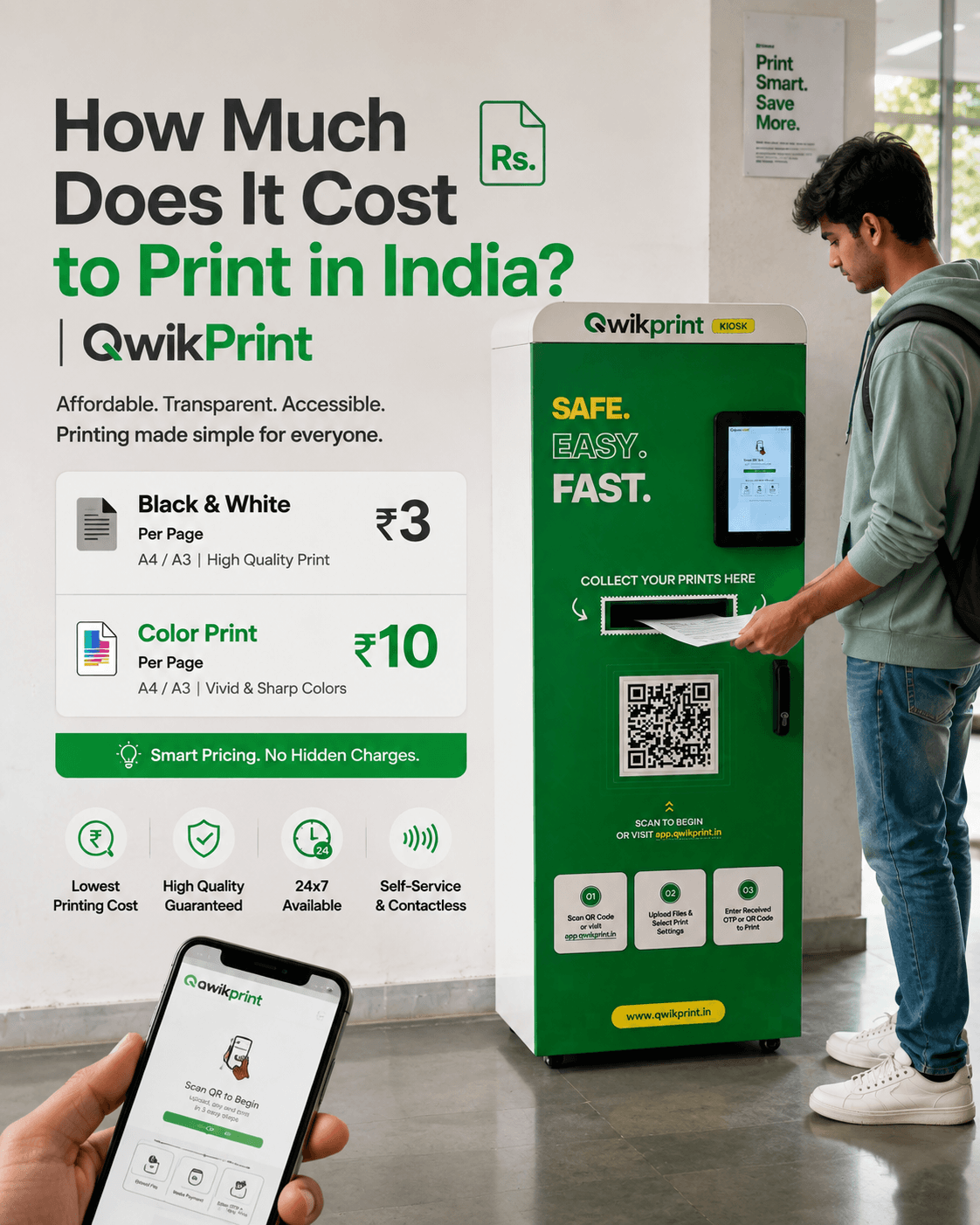
Both black & white and colour are available, with prints starting at just ₹2 or 3 a page.
Where You Can Use WhatsApp Printing
QwikPrint's self-service kiosks are live on college campuses across India- including REC College, PSG iTech, IIITDM, Dhanalakshmi Srinivasan ,SRM ,VIT ,NIT, IIT, Nalsar Law University (Hyderabad), Techno India University (Kolkata) & etc — with more being added. Find your nearest machine at app.qwikprint.in.
A Few Handy Tips
Send your document a little before you reach the kiosk, so your OTP is ready and waiting.
Double-check it's the final version — open it on your phone before sending.
PDFs usually print most reliably, since they keep your formatting exactly as it is.
Final Thoughts
Your documents already live on WhatsApp — so printing them should be just as effortless. With QwikPrint, you send a document straight from a chat, choose exactly how it should print, and collect it in seconds, with none of the mix-ups of a regular xerox shop. It's printing that finally fits the way you actually use your phone — from the brand that pioneered it in India.
Next time you need a printout, just open WhatsApp.
Ready to print from WhatsApp? Find your nearest QwikPrint machine and get started at app.qwikprint.in.
Want to bring QwikPrint to your campus, or own one as a franchise? Learn more at qwikprint.in.